
Set Up Your POE2 Overlord Dashboard
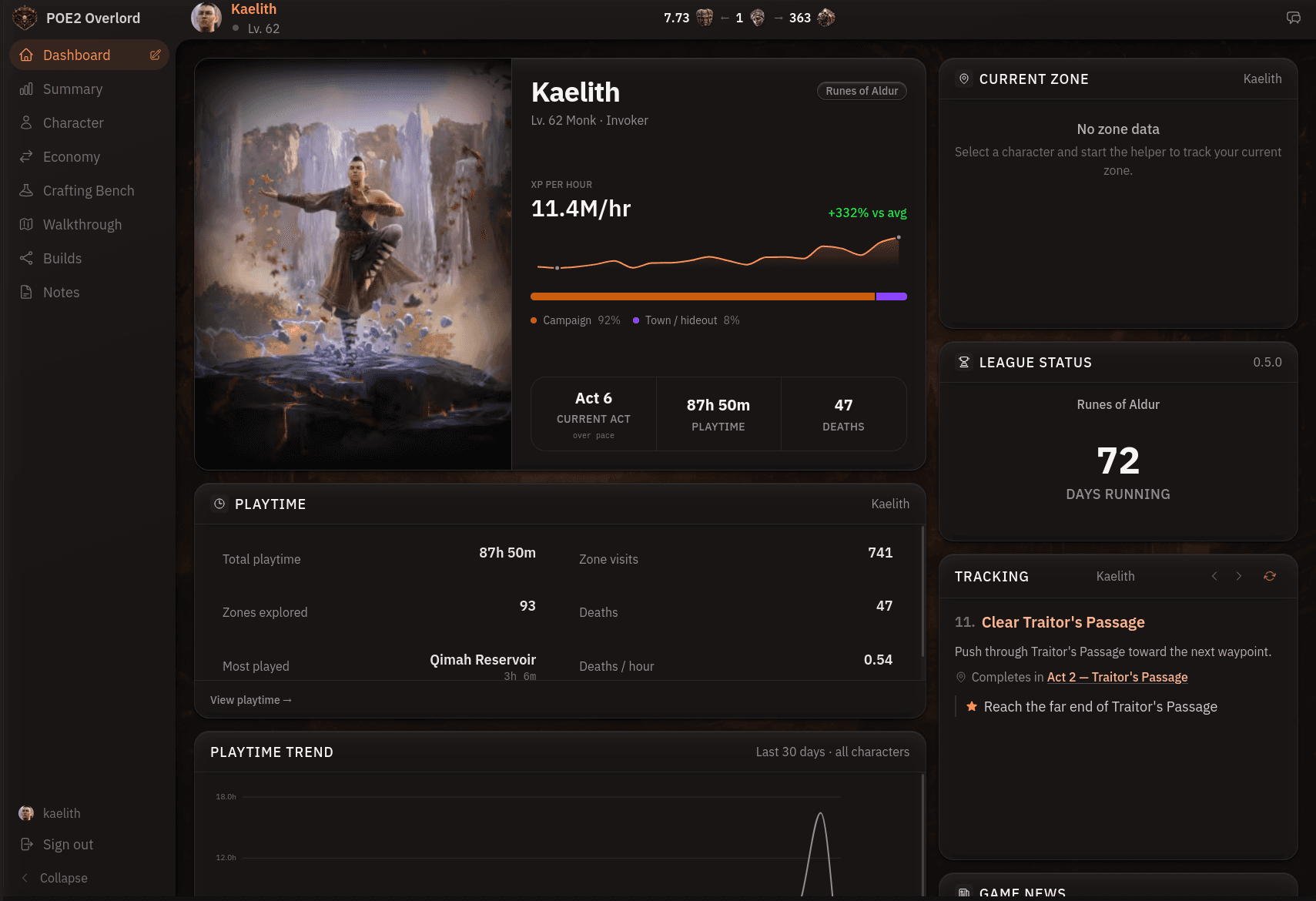
The dashboard is the first screen you see when you sign in, and it's meant to be the only one you need open on the second monitor while you play.
The cards
Everything on the dashboard is a card:
- Your active character, with level, XP rate, and deaths.
- Your current zone, updated live while you play.
- How many days into the league you are.
- The next step of the walkthrough you're following.
- The currency prices, recipes, and guides you've starred.
- The community's most popular builds, routes, and recipes.
The character, zone, and walkthrough cards go live once the helper is connected. The rest work without it.
Arranging it
Drag cards to reorder them and resize the ones you want more room for. Remove what you don't use and add it back later. The layout is saved to your account, so it's exactly how you left it on your next login, on any device.
A common setup for a mapping session is the current zone and starred prices up top, walkthrough step hidden. For a fresh campaign character it's the reverse: walkthrough step large and centred, prices tucked away.
Guides
Guides are for the things you keep looking up again: crafting plans, boss mechanics, a gear upgrade order. Write one, publish the ones worth sharing with the community, and search across all of them. Like the dashboard layout, guides sync to your account.
Browse by Category
League Status


Path of Exile 2 News
- ExileCon 2026 Schedule and Information for AttendeesOct 29, 2026
 Path of Exile 2 1.0 Full Reveal - Watch ExileCon 2026 on November 6 PSTOct 29, 2026
- Two Weeks Until ExileCon 2026!Oct 25, 2026
 Early Access Supporter Packs Leaving SoonOct 22, 2026
 ExileCon 2026 MerchandiseOct 21, 2026
- Path of Exile 2 Full Release Registration - Sign Up and Unlock Exclusive RewardsOct 19, 2026