
Track Your POE2 Leveling and Deaths
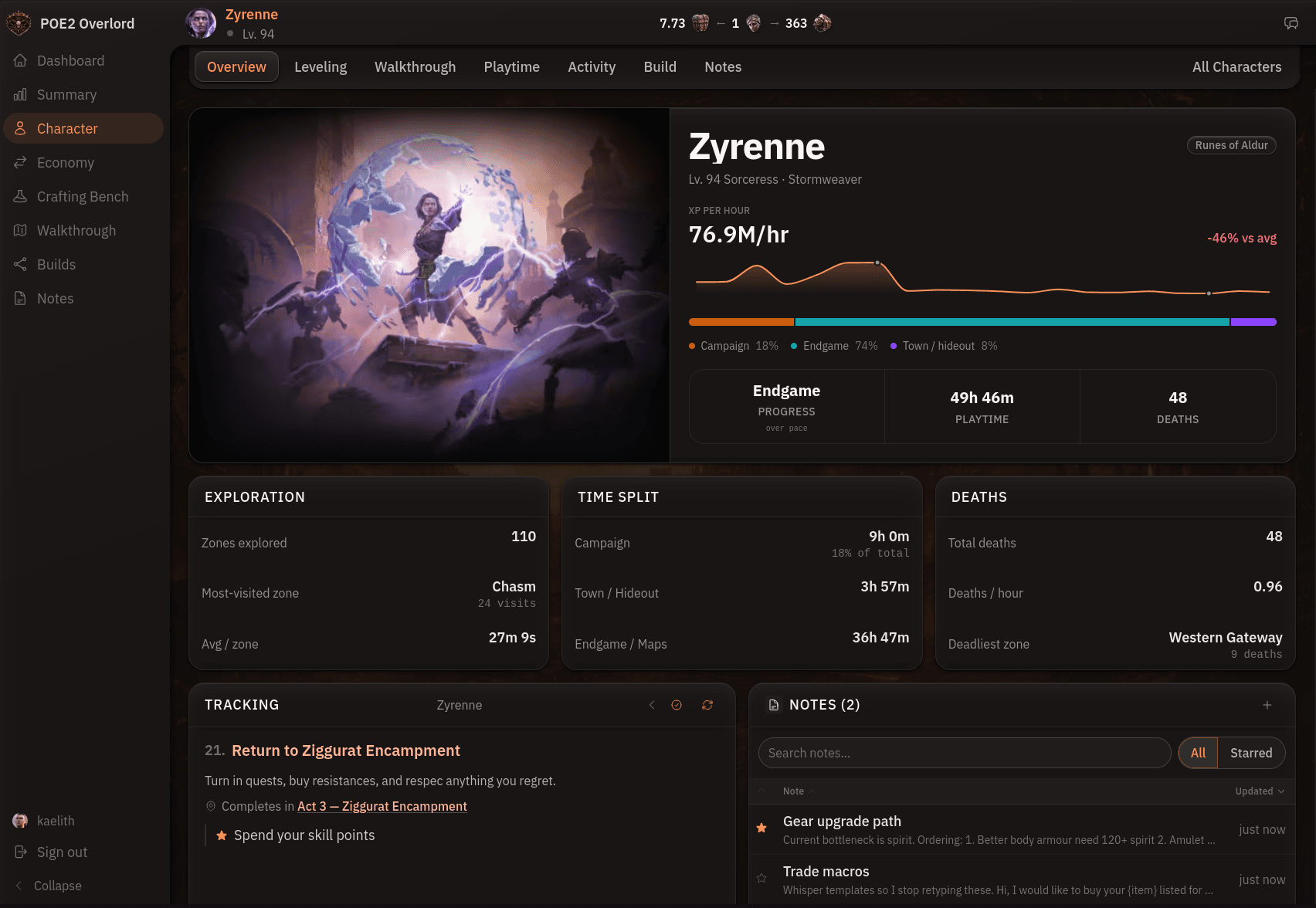
This is the part of the app that needs the helper. Once it's running, your active character is tracked from the game's log with nothing to enter by hand: level-ups, zone changes, deaths, and the time between them.
Overview
The character overview is the session-level view: current level and zone, experience per hour, deaths, and how much of the campaign you've explored. It's the page to check when you're deciding whether tonight's farming spot is paying off.
Leveling
The leveling tab plots your level against the level of the content you're fighting. Running above the content line means you're overleveled and could push somewhere harder. Dropping below it is the early warning that the next boss will hurt.
Playtime
Playtime shows a day-by-day chart of hours played and a breakdown by act, which is how you find out that Act 3 took twice as long as Act 2 and start asking why.
Activity
The activity tab is a zone-by-zone log: time spent, number of visits, and deaths in each. The deaths column is the one to watch. A zone that has killed you four times is a zone worth changing your approach to.
Every character at once
The characters list shows every character across every league with level, class, and league, and the account summary rolls all of it into one view: total playtime, deaths, class mix, and a trend of how your time in Wraeclast has gone. Switching which character the app tracks is done from that list.
Browse by Category
League Status


Path of Exile 2 News
- ExileCon 2026 Schedule and Information for AttendeesOct 29, 2026
 Path of Exile 2 1.0 Full Reveal - Watch ExileCon 2026 on November 6 PSTOct 29, 2026
- Two Weeks Until ExileCon 2026!Oct 25, 2026
 Early Access Supporter Packs Leaving SoonOct 22, 2026
 ExileCon 2026 MerchandiseOct 21, 2026
- Path of Exile 2 Full Release Registration - Sign Up and Unlock Exclusive RewardsOct 19, 2026