
Import and Export POE2 Builds
Builds move in and out of POE2 Overlord in the two formats you already use: Path of Building 2 codes and the game's .build files.
Importing
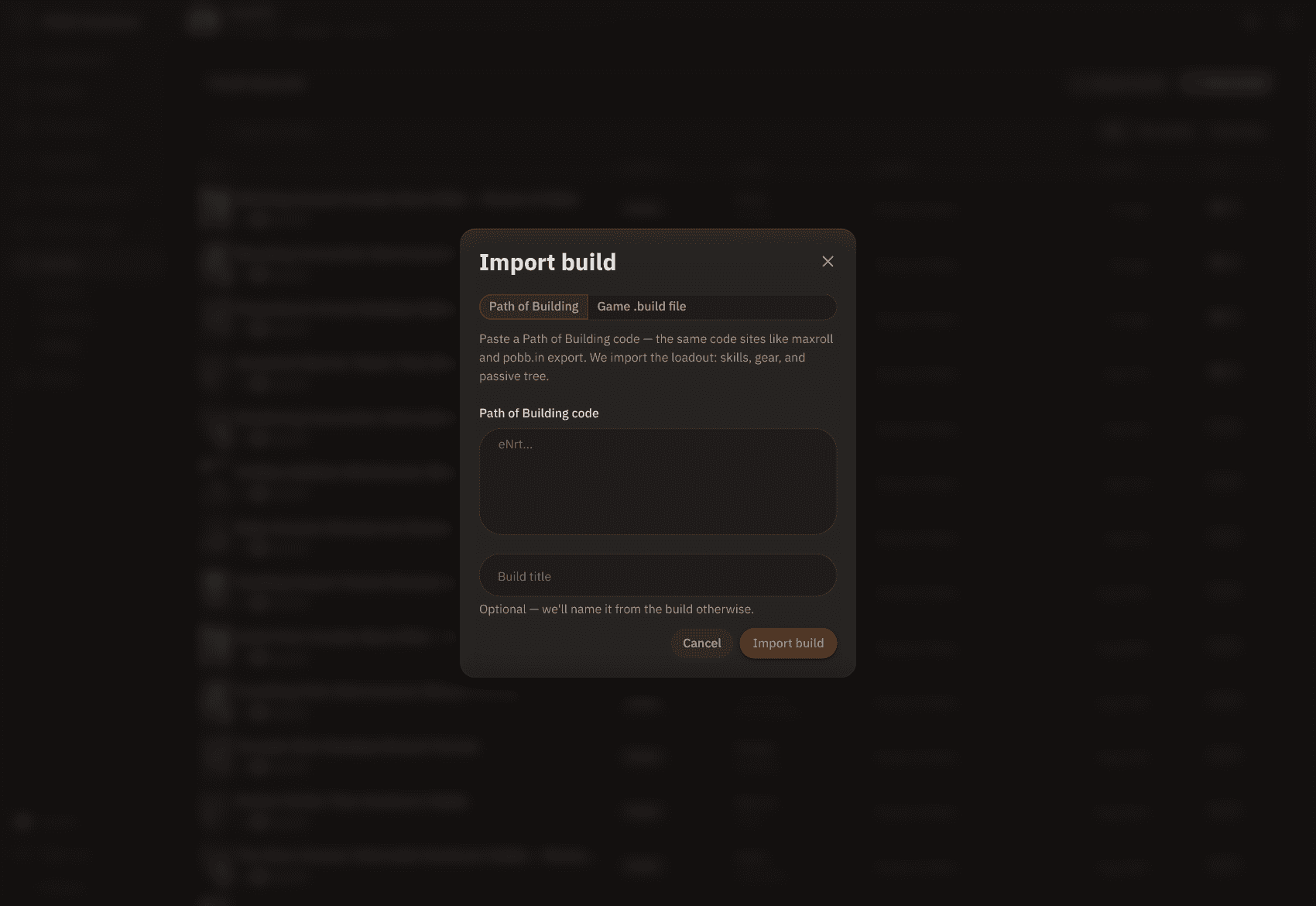
Open your library and click Import build. Pick a source:
- Path of Building. Paste a PoB2 code, the same one maxroll and pobb.in hand out. Skills, gear, and the passive tree come across. A guide with several stages imports each stage as its own variation, matched by name.
- Game .build file. Paste the contents of a file the in-game Build Planner exported, or one from a site that produces the same format.
The title is optional. Leave it blank and the build is named from the import. When the import finishes you land in the editor, with a list of anything that didn't resolve, such as an ambiguous mod line. Fix those, then publish or keep the build private.
Exporting
Where the exports live depends on whether you're signed in. Signed out, a build page offers both as plain download links. Signed in, they're in the ... menu beside the title:
- Download .build gives you a file with skills, gear, and the passive tree. Drop it in the game's BuildPlanner folder and it shows up as a guide in the in-game planner. It doesn't equip or allocate anything.
- Copy PoB Code puts a Path of Building 2 code on your clipboard, ready for PoB's import box. That format doesn't store allocated tree points, gem levels, or item rarity, so items arrive as Normal and the build's notes list what to set by hand.
Neither format has a field for socketed runes or soul cores. The export warns you how many filled sockets were left out.
Sending a build straight into the game
If you run the helper, you can skip the download step entirely. Send to game in the same menu queues the variation you have on screen, and the helper writes the file into your game's BuildPlanner folder the next time it polls. Sending a different variation of the same build later replaces it. It works on any build you can see, not only your own. The folder is created the first time you save a build in-game, and the Windows and Linux guides cover where it lives.
Browse by Category
League Status


Path of Exile 2 News
- ExileCon 2026 Schedule and Information for AttendeesOct 29, 2026
 Path of Exile 2 1.0 Full Reveal - Watch ExileCon 2026 on November 6 PSTOct 29, 2026
- Two Weeks Until ExileCon 2026!Oct 25, 2026
 Early Access Supporter Packs Leaving SoonOct 22, 2026
 ExileCon 2026 MerchandiseOct 21, 2026
- Path of Exile 2 Full Release Registration - Sign Up and Unlock Exclusive RewardsOct 19, 2026