
Build Planner: What's New and What's Fixed
The build planner has been out for a few weeks, and most of that time went into fixing what real community builds threw at it. If you haven't opened it yet, here's a quick look around, followed by what's new and what got fixed.
Inside the planner
A build covers the whole character: class and ascendancy, skills and their supports, a full set of gear with jewels and runes, and the passive tree, all drawn with the game's own art. Planning a POE2 Build Online walks through making one from scratch.
The passive tree took the longest to get right. It follows the game's rules, so taking back a point in the middle of a path also drops everything that hung off it, and each weapon set gets its own points, shown in its own colour. The tree is saved in the page's link too, so you can share one without publishing a whole build.
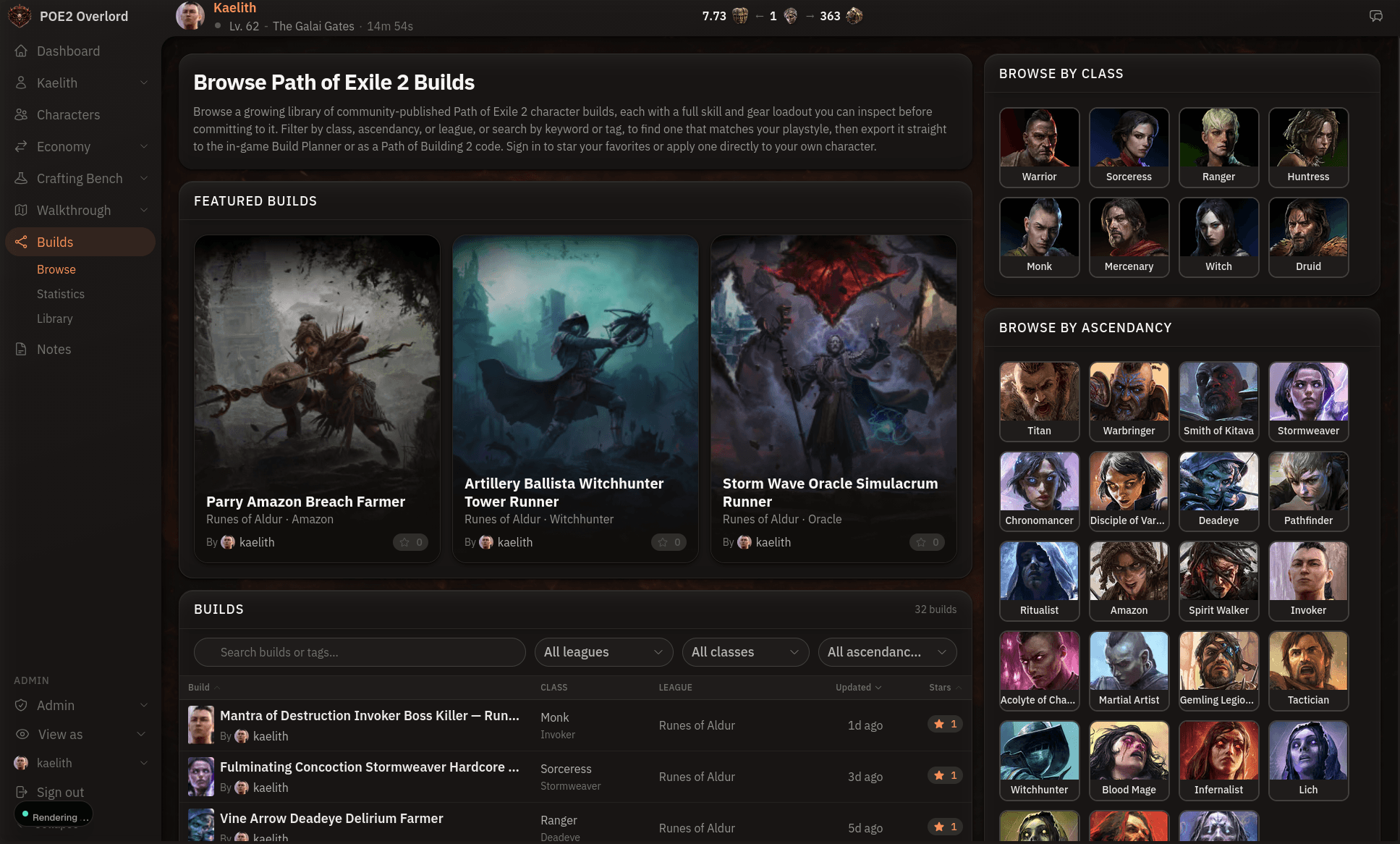
Publishing is what connects a build to everything else. A public build shows up in browse and on its class, ascendancy, and tag pages, and other players can star it, copy it, or apply it to their own character. Public builds also feed the statistics page, so the most popular skills and supports there are what people are actually playing.
What's new
- Browse opens with a row of featured builds, and every class and ascendancy portrait takes you to its own page. Tags have their own pages too.
- A build can hold several variations, like Leveling and Endgame, each with its own skills, gear, and tree. Pin the one your character is running.
- Each variation gets two weapon sets, with each set's passive points shown on the tree.
- Jewels, the full list of uniques, and sockets for runes, soul cores, idols, and abyssal eyes.
- A redesigned skills editor, where you pick active skills and supports in one place.
- Your character's overview shows the build you've applied, next to your current walkthrough step.
- Build statistics cover every league, with a breakdown for each one.
- Import and export both Path of Building codes and the game's own
.buildfiles. With the helper running, an export lands straight in the game's Build Planner. - The editor's navigation stays on screen while you scroll.
Fixes
Most of these turned up while importing real community builds. If you imported a build early on and something looked off, try importing it again.
- Path of Building imports with separate Leveling and Endgame stages no longer get mixed together. Each stage comes in as its own variation.
.buildfiles from the in-game Build Planner and Mobalytics keep their gear. Every rare used to come in empty.- Added-damage and hybrid mods are no longer dropped on import, and a mod line the importer can't place is left out rather than guessed at.
- Olroth's Conviction no longer imports as an active skill.
- The gear picker only offers items that fit the slot. Belts were listing rings, charm slots had no charms, and the off-hand had no Focus or Quiver.
- Swapping an item's base no longer leaves its old mods behind.
- Exports now tell you when they've left out socketed runes and the like, since neither format has room for them.
- Tags with spaces in them, like "End Game", have working pages.
- Browse shows builds from every league by default. It used to open on the current league only, which hid everything else.
- Passive points spent on nodes a patch removed no longer count against your total.
If you have a build you've been meaning to write up, start one here. Import from a PoB code if you already have one, and let me know what breaks.
Browse by Category
League Status


Path of Exile 2 News
- ExileCon 2026 Schedule and Information for AttendeesOct 29, 2026
 Path of Exile 2 1.0 Full Reveal - Watch ExileCon 2026 on November 6 PSTOct 29, 2026
- Two Weeks Until ExileCon 2026!Oct 25, 2026
 Early Access Supporter Packs Leaving SoonOct 22, 2026
 ExileCon 2026 MerchandiseOct 21, 2026
- Path of Exile 2 Full Release Registration - Sign Up and Unlock Exclusive RewardsOct 19, 2026