
POE2 Campaign Walkthrough Tracker
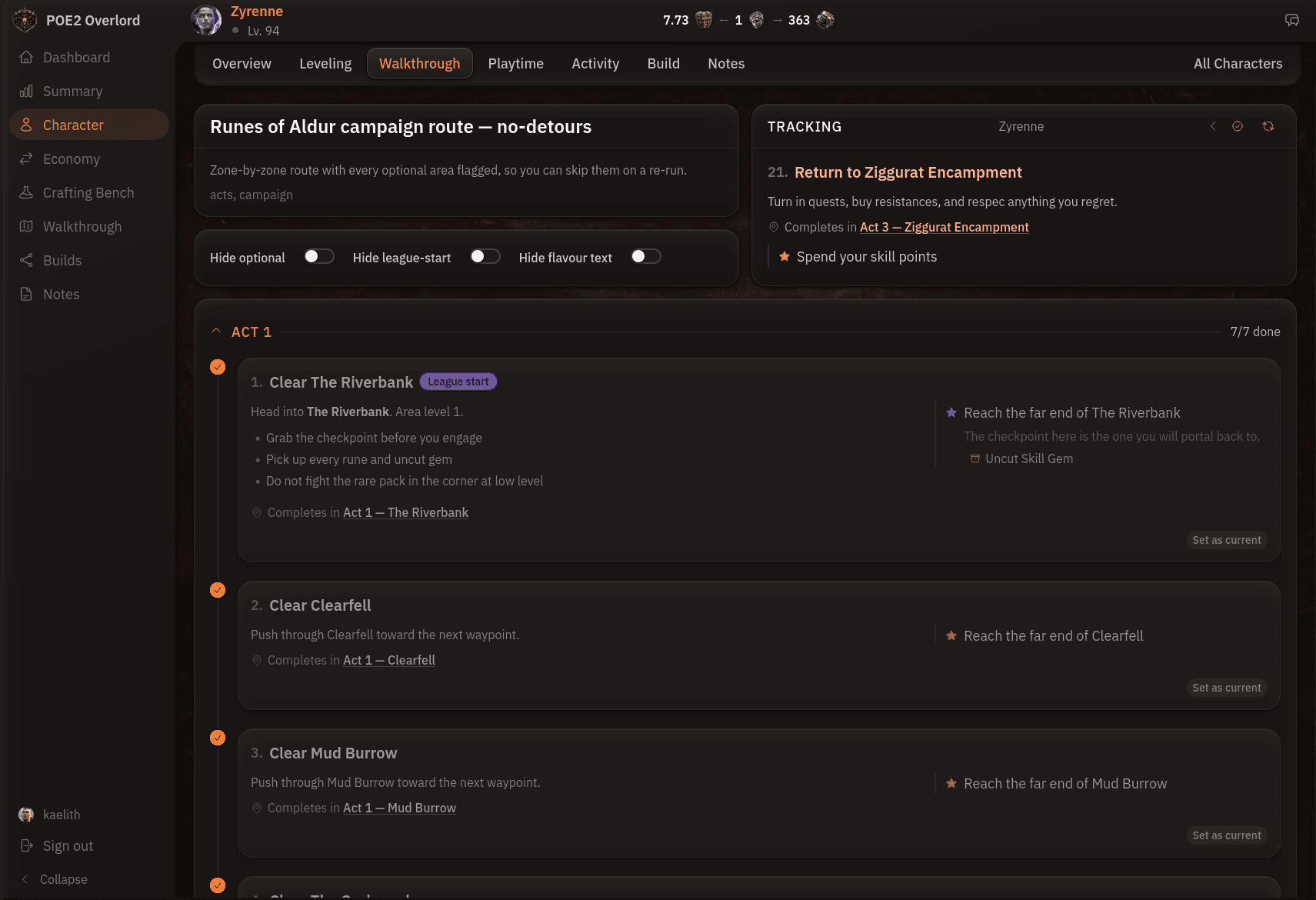
A walkthrough here is a campaign route: acts, then steps, each step tied to the zone you arrive in when it's done. Follow one and the step pointer moves on its own as your character plays through the acts.
Find a route
The browse page lists community routes and leveling guides, searchable by title and tag. A full campaign route, a no-detours speed route, and a set of class-specific leveling guides are different things, so read the summary before following.
Follow it
Following a route pins it to your active character and adds a Tracking card that shows the current step, what to do there, and which zone completes it. The same card is on your dashboard too.
Three toggles at the top hide optional areas, league-start-only content, or flavour text, so a third-run character sees a leaner route than a first-run one without the author writing two guides.
Let the helper advance it
With the helper running, satisfying a step's advance condition — usually entering a zone, sometimes reaching a character level — completes it and moves the pointer forward, so you don't touch the tracker while you play. The last step is the exception: reaching it swaps Next for Finish walkthrough, which you press yourself, so a route is never marked done behind your back. If you skip ahead or want to jump back, any step has a Set as current button.
Clone and edit a route
Clone any community route from its page and it lands in your library as an editable copy. The editor works act by act: add or reorder steps, set each step's location and what advances it (a zone, a level, or manually), add objectives, and flag steps as optional or league-start. A stats card counts steps that don't auto-advance or lack objectives, which shows what's still unfinished. Flip Public when it's ready and it joins the community library.
Browse by Category
League Status


Path of Exile 2 News
- ExileCon 2026 Schedule and Information for AttendeesOct 29, 2026
 Path of Exile 2 1.0 Full Reveal - Watch ExileCon 2026 on November 6 PSTOct 29, 2026
- Two Weeks Until ExileCon 2026!Oct 25, 2026
 Early Access Supporter Packs Leaving SoonOct 22, 2026
 ExileCon 2026 MerchandiseOct 21, 2026
- Path of Exile 2 Full Release Registration - Sign Up and Unlock Exclusive RewardsOct 19, 2026